
Instagram Unfollower CheckerMobile Tutorial
The ultimate guide on how to safely check who unfollowed you on Instagram using your mobile device.
In This Guide
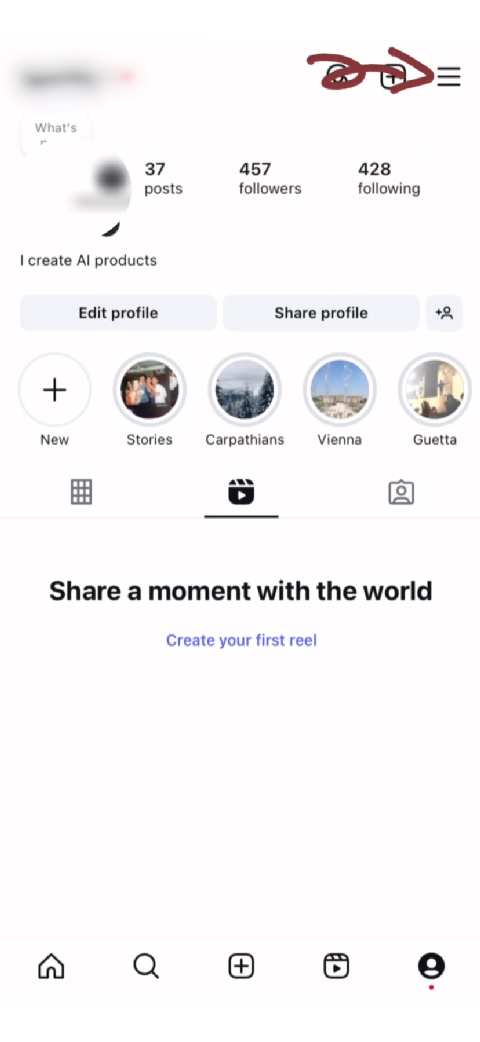
Schritt 1: Menü-Icon antippen
Instagram-Menü am Handy öffnen
Overview
Zugriff auf das mobile Instagram-Menü
Instructions
Öffnen Sie die Instagram-App
- • Eingeloggt sein
- • App-Update machen, falls Optionen fehlen
Profil-Icon unten rechts antippen
Drei Striche (Menü) oben rechts antippen
Troubleshooting
Menü-Icon nicht sichtbar
App auf die neueste Version aktualisieren
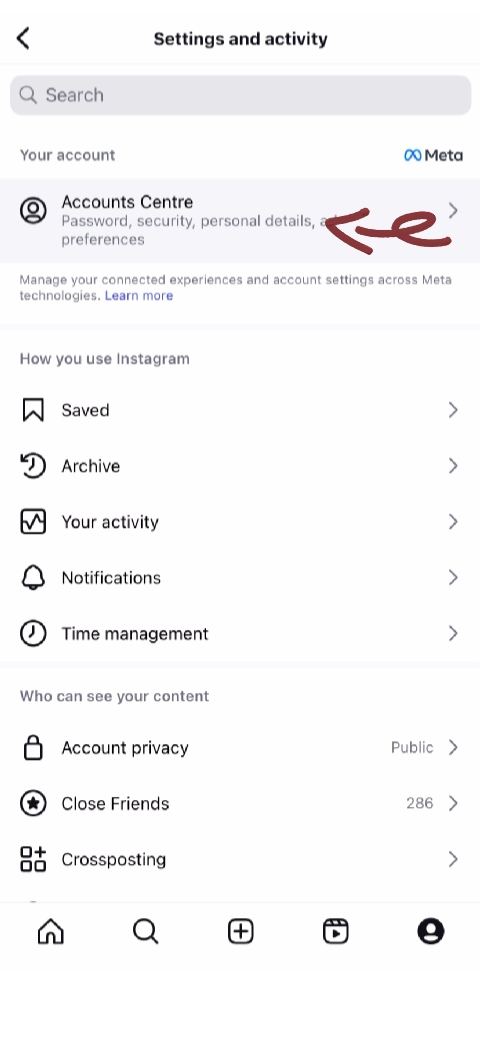
Schritt 2: Kontenübersicht wählen
Zugriff auf die Meta-Kontenübersicht
Overview
In die Kontenübersicht navigieren
Instructions
In den Einstellungen oben 'Kontenübersicht' suchen
- • Zentraler Ort für alle Meta-App-Daten
Auf 'Kontenübersicht' tippen
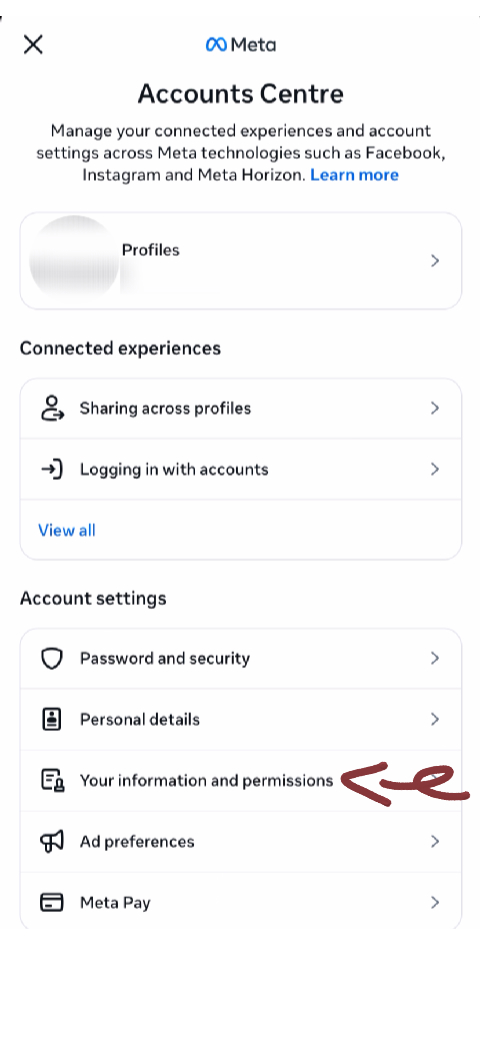
Schritt 3: 'Deine Informationen und Berechtigungen' antippen
Daten-Optionen öffnen
Overview
Datenmanagement-Optionen finden
Instructions
Zu 'Deine Informationen und Berechtigungen' scrollen
Antippen
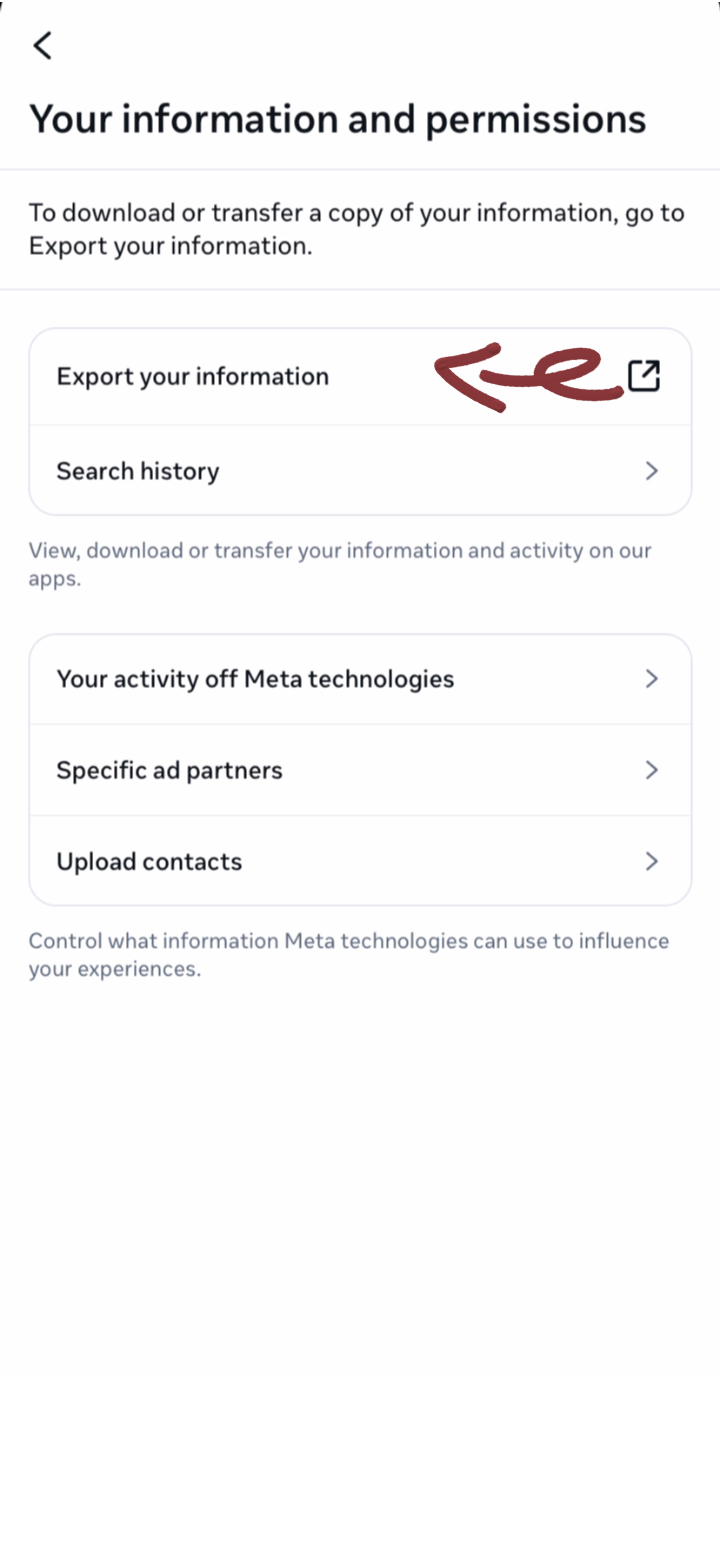
Schritt 4: 'Deine Informationen herunterladen' antippen
Download-Prozess starten
Overview
Download einleiten
Instructions
'Deine Informationen herunterladen' finden
Antippen
Schritt 5: 'Dateien erstellen' antippen
Download-Anfrage abschließen
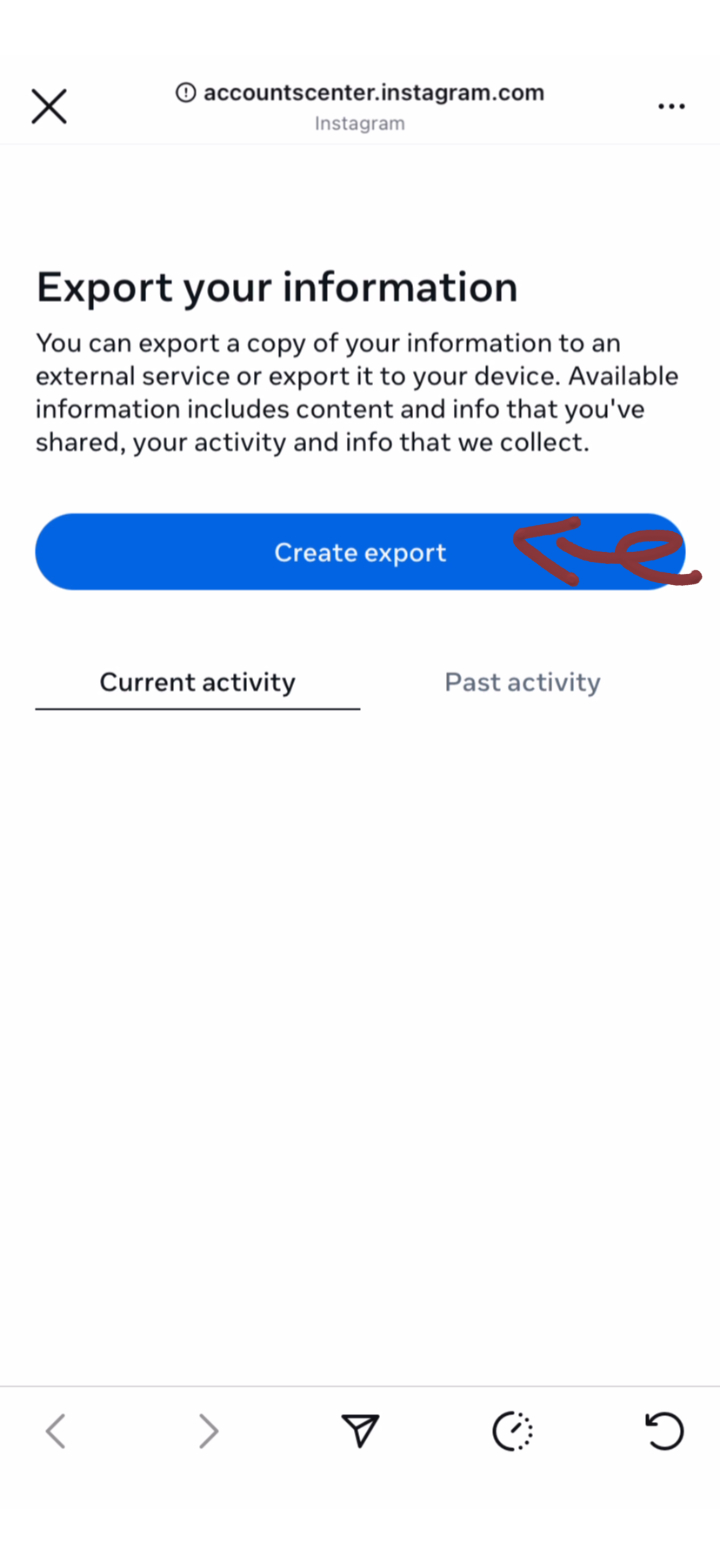
Overview
Anfrage abschließen
Instructions
Auswahl prüfen
'Dateien erstellen' antippen
Bestätigung erscheint
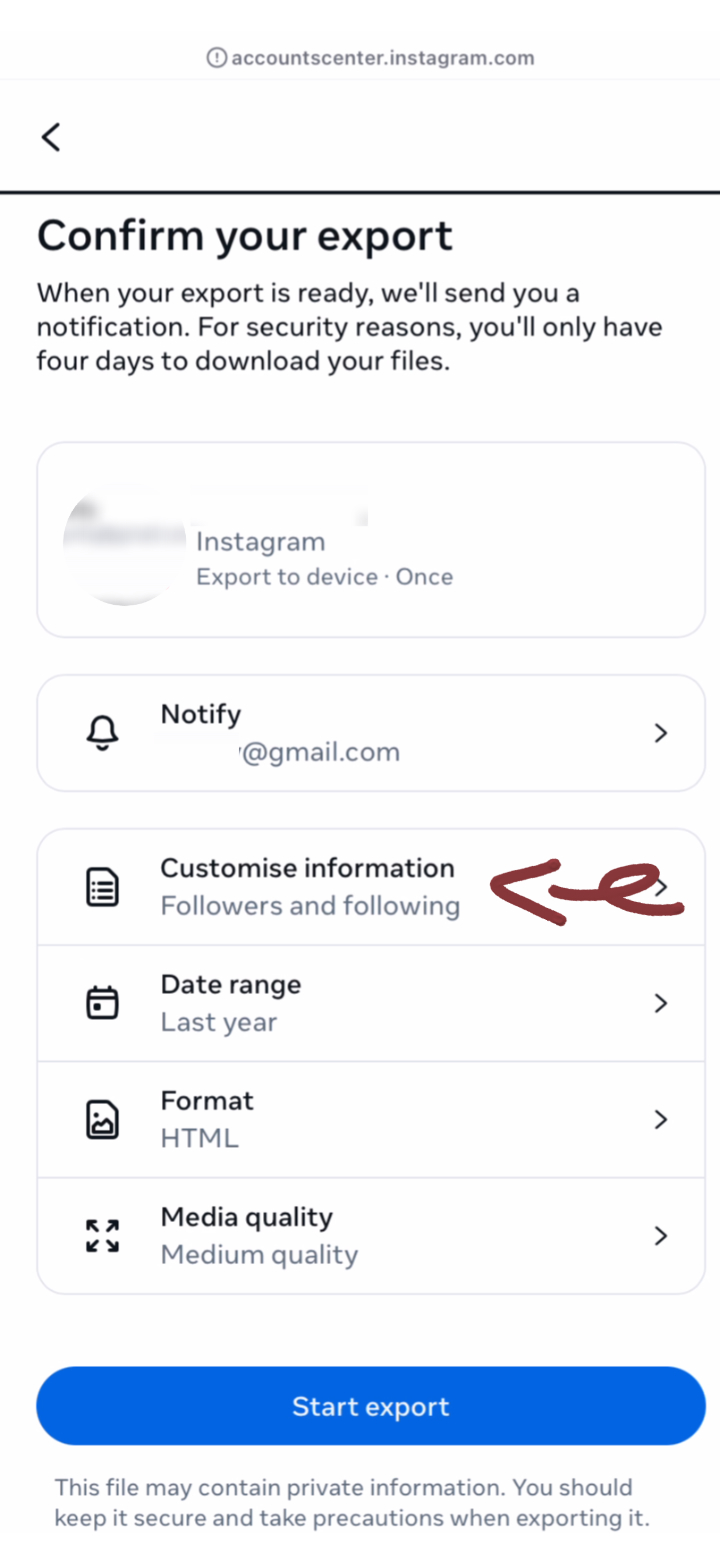
Schritt 6: Format und Qualität wählen
Format und Qualität einstellen
Overview
Präferenzen festlegen
Instructions
'JSON'-Format wählen
- • JSON ist für unser Tool zwingend erforderlich
- • Niedrige Qualität reicht für Follower-Analysen völlig aus
'Niedrige' Qualität wählen
Auf 'Weiter' tippen
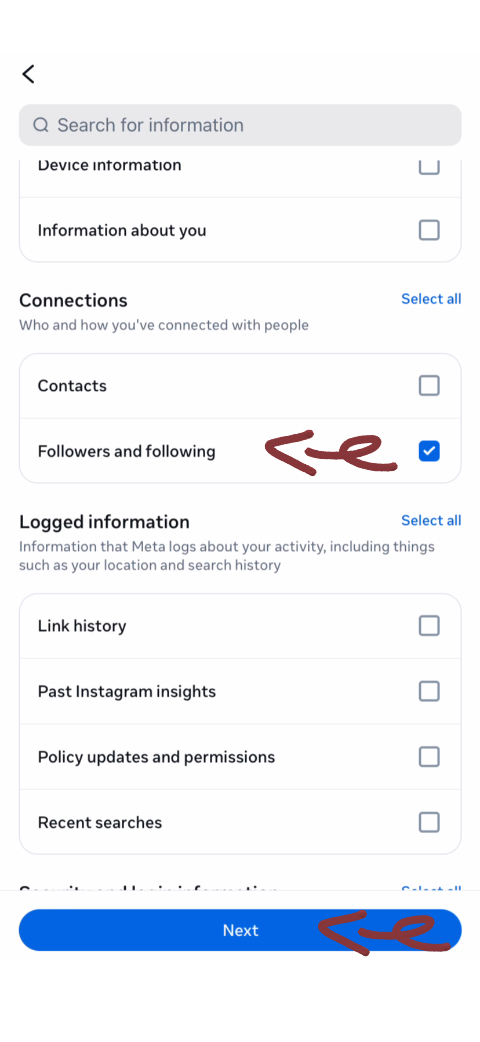
Schritt 7: 'Einstellungen und Privatsphäre' antippen
Zum Einstellungsmenü navigieren
Overview
Einstellungsmenü öffnen
Instructions
Ein Menü schiebt sich von unten hoch
- • Einstellungen und Privatsphäre ist meist weit oben
Scrollen und 'Einstellungen und Privatsphäre' tippen
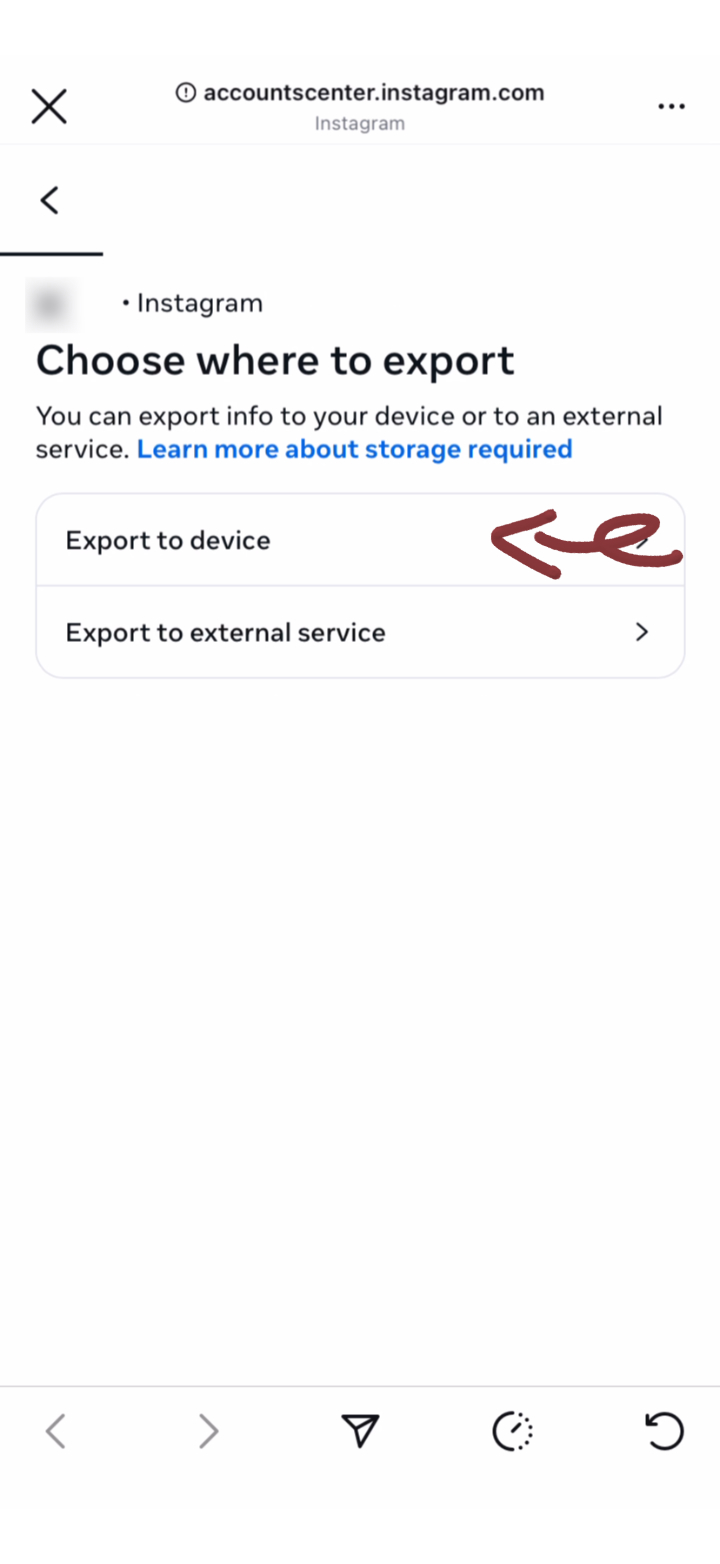
Schritt 8: Konten und Zeitraum wählen
Daten-Optionen wählen
Overview
Download-Einstellungen vornehmen
Instructions
Ihr Instagram-Konto wählen
- • Wählen Sie 'Gesamte Zeit' für die volle Analyse
'Gesamte Zeit' für alle Daten wählen
Auf 'Weiter' tippen
Schritt 9: Zeitraum wählen
Wählen Sie den Zeitraum für den Export
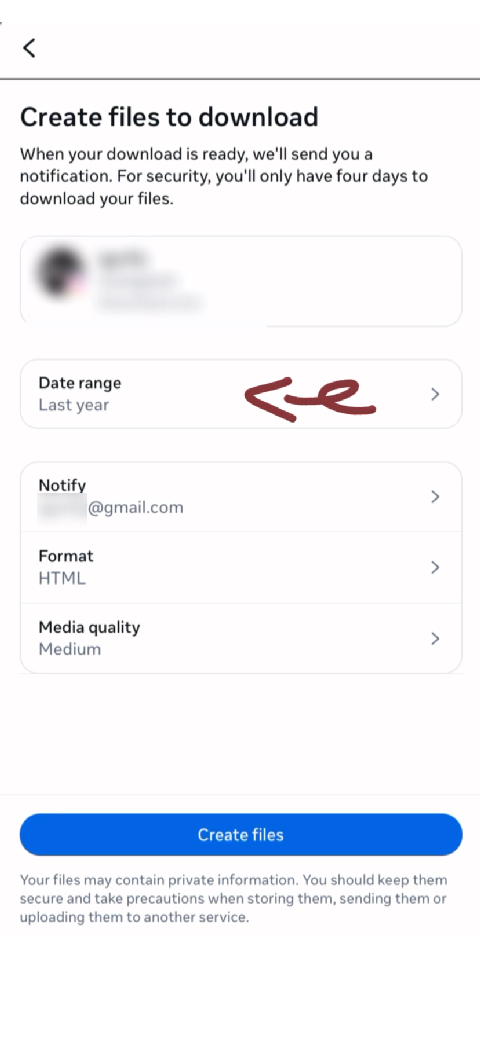
Overview
Zeitraum festlegen
Instructions
Zeitraum wählen
Schritt 10: Gesamte Zeit wählen
Wählen Sie 'Gesamte Zeit' für alle Daten
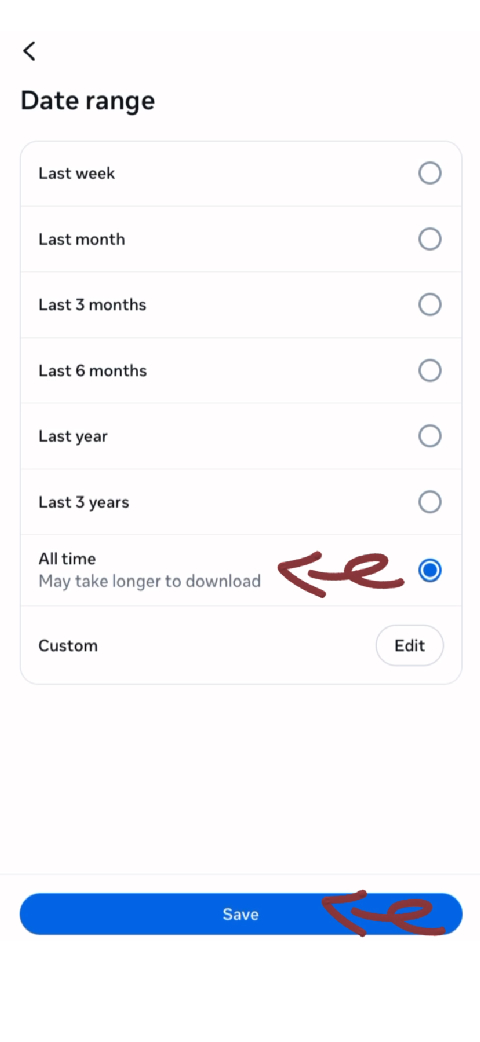
Overview
Vollständige Daten wählen
Instructions
Gesamte Zeit wählen
Schritt 11: Abschicken und Export starten
Prozess starten
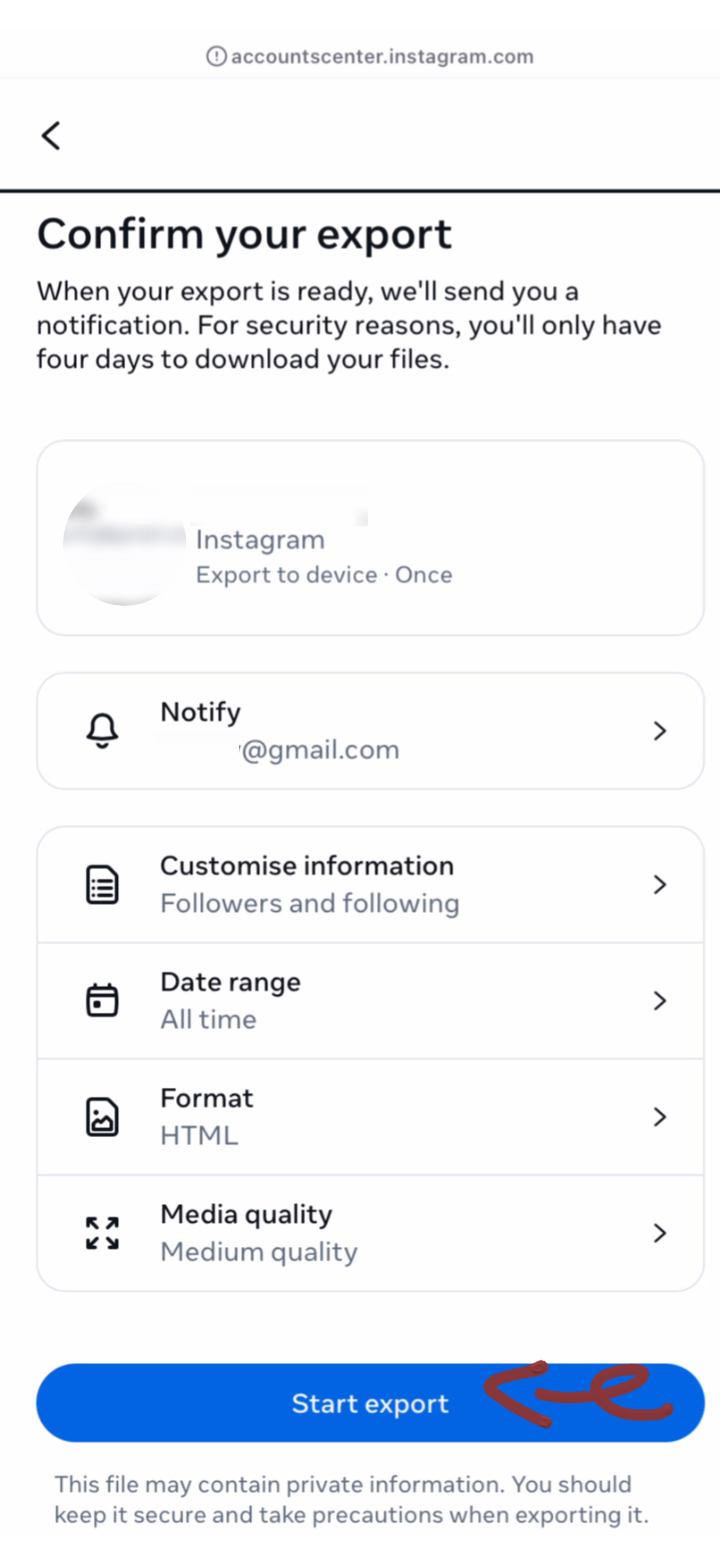
Overview
Prozess starten
Instructions
Abschicken und Export starten
Schritt 12: Auf E-Mail warten
Instagram bereitet die Daten vor
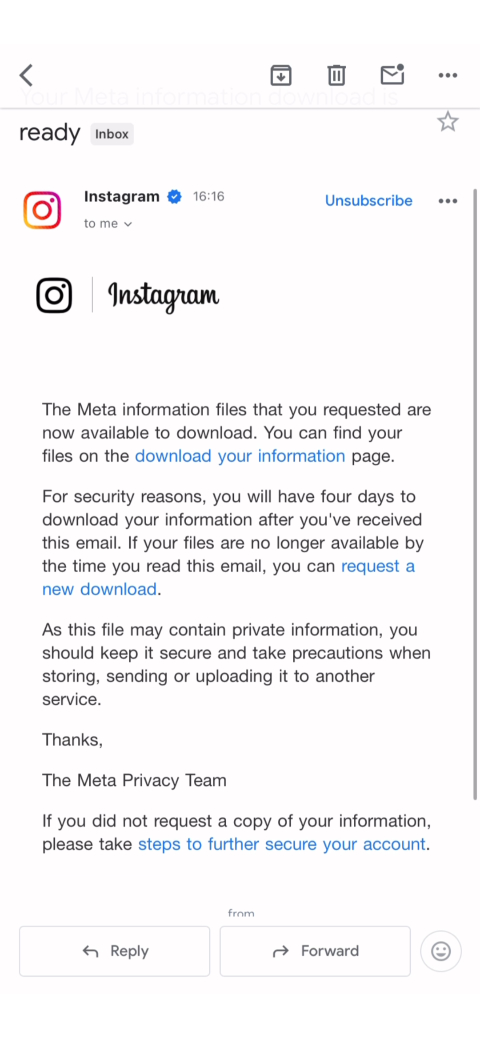
Overview
Datenvorbereitung läuft
Instructions
Sie erhalten eine E-Mail-Benachrichtigung
- • Prüfen Sie die verknüpfte E-Mail
Dauert Minuten bis 48 Stunden
Spam-Ordner prüfen
E-Mail enthält den Link
Schritt 13: ZIP-Link kopieren
Download-Link kopieren
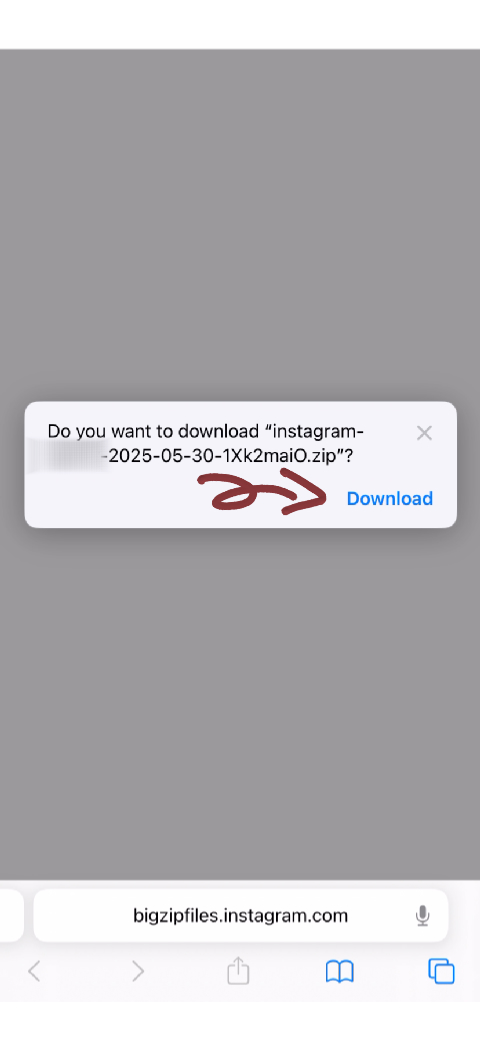
Overview
Link kopieren
Instructions
ZIP-Link kopieren
Schritt 14: Auf unserer Website hochladen
Daten hochladen und analysieren
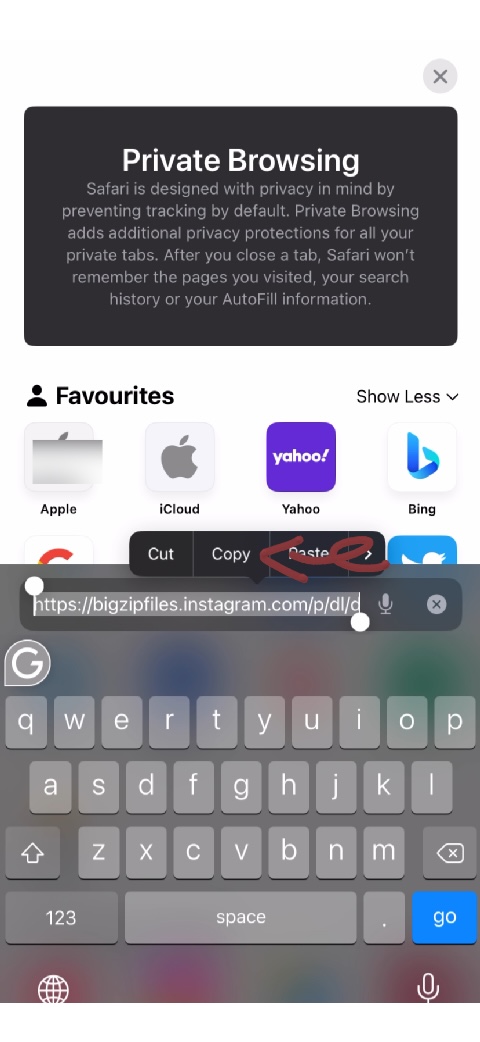
Overview
Daten analysieren
Instructions
Unsere Website im mobilen Browser öffnen
- • ZIP nicht entpacken
- • Analyse ist 100% privat
- • Dauert nur Sekunden
Tippen, um ZIP-Datei zu wählen
Auf Analyse warten
Analysen ansehen!
Troubleshooting
Upload am Handy scheitert
Versuchen Sie es alternativ am Desktop-Browser
Mobile Tutorial Tips
Before You Start
- •Make sure you have the latest Instagram app
- •Log into your Instagram account on mobile
- •Connect to Wi-Fi for faster data download
- •Ensure you have enough storage space available
What to Expect
- •Data request can take 15 minutes to 2+ days
- •You'll get an email when data is ready
- •Download will be a ZIP file with JSON data
- •You may need a ZIP extractor app
Prefer Desktop Instead?
If you have access to a computer, you might find the desktop tutorial easier to follow with a larger screen.
Switch to Desktop TutorialReady to Analyze Your Followers?
Once you have downloaded your data following this tutorial, simply upload the zip file to our tool to see who unfollowed you.
Go to Homepage